


بروز خطا
[message]
اشتراک در سوال
رای ها
[dataList]
LinearLayout در قسمت PagerAdapter چگونه است ؟

0
0
در کلاس ImagePagerAdapter
     @Override
    public Object instantiateItem(ViewGroup container, int position) {
        View view = G.layoutInflater.inflate(R.layout.sample, null);
        TextView text = (TextView) view.findViewById(R.id.text);
        ImageView image = (ImageView) view.findViewById(R.id.image);
        LinearLayout li_ok = (LinearLayout) view.findViewById(R.id.li);
        text.setText(imageTitles.get(position));
        image.setImageResource(imageIds.get(position));
        li_ok.set..................; ///////////////////////////////////________( 1 )_______///////////////////////
        container.addView(view);
        return view;
    }
در قسمت شماره ( 1 ) متد را باید چگونه نوشت ، آن هم برای خواندن LinearLayout ....
و همچنین در کلاس ActivityStartup بجای شماره 2 ها چه چیزی باید نوشته بشود تا LinearLayout خوانده شود ...
final PageIndicator indicator = (PageIndicator) findViewById(R.id.indicator);
        ArrayList<Integer> imageIds = new ArrayList<Integer>();
        ArrayList<String> imageTitles = new ArrayList<String>();
        ArrayList<LinearLayout> li = new ArrayList<LinearLayout>();

        for (int i = 1; i < 15; i++) {
            int imageId = G.context.getResources().getIdentifier("image" + i, "drawable", G.context.getPackageName());
            int li_ok_2 = ////////////////////////-------------( 2 )-------------/////////////////
            imageIds.add(//////-------------( 2 )-------------////);
            imageTitles.add("Nice Nature #" + i);
            li.add(//////-------------( 2 )-------------////);
        }
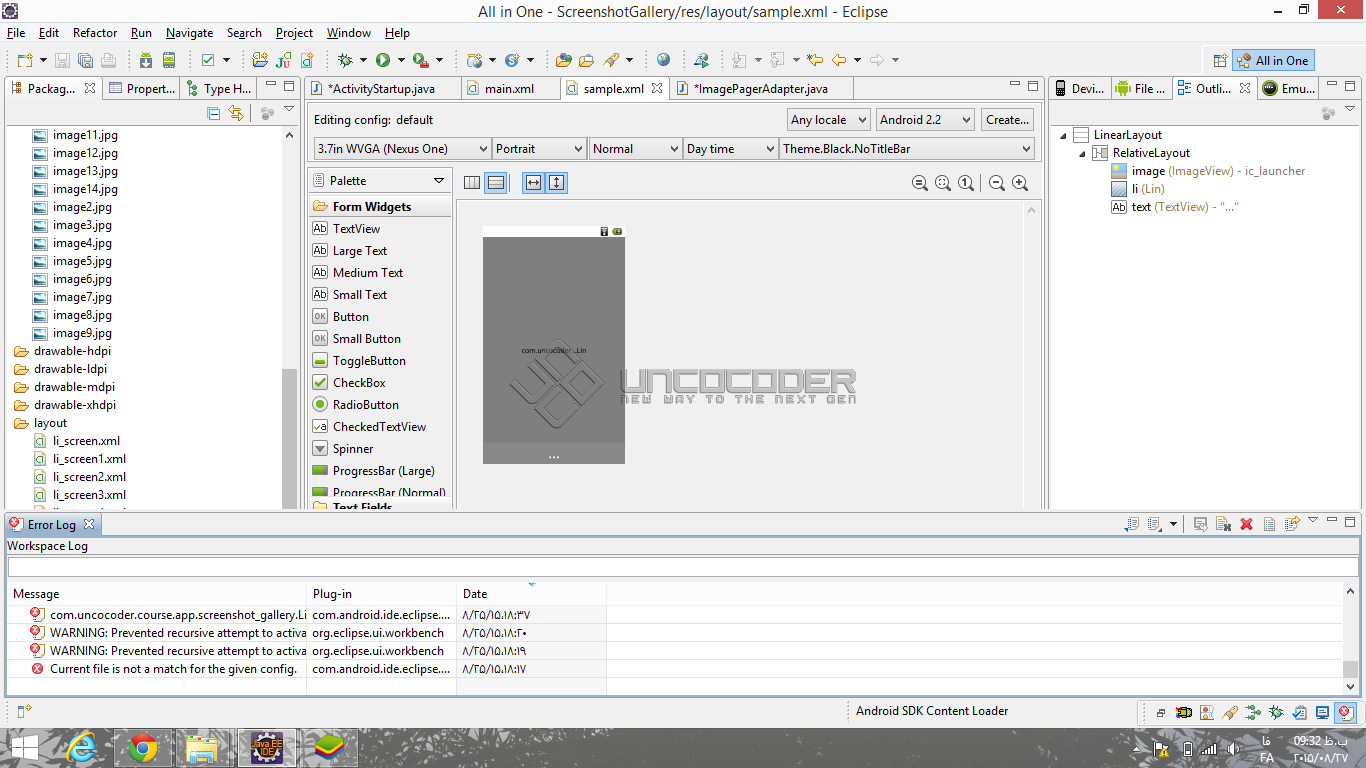
حتی در قسمت sample هم تعریف شده است
0
0
? (11 سال پیش)
0
0
? (11 سال پیش)
0
0

آموزش کار با ViewPager رو دانلود کنید : لینک (11 سال پیش)
برای این سوال پاسخی وجود ندارد.
پاسخگویی و مشاهده پاسخ های این سوال تنها برای اعضای ویژه سایت امکان پذیر است .
چنانچه تمایل دارید به همه بخش ها دسترسی داشته باشید میتوانید از این بخش لایسنس این آموزش را خریداری نمایید .
